Your workout.
Your data.
Track every lift. Own every byte. A local-first workout tracker that lives entirely on your phone — no account, no cloud, no noise.
100%
offline-first
0
accounts required
430+
exercises built in
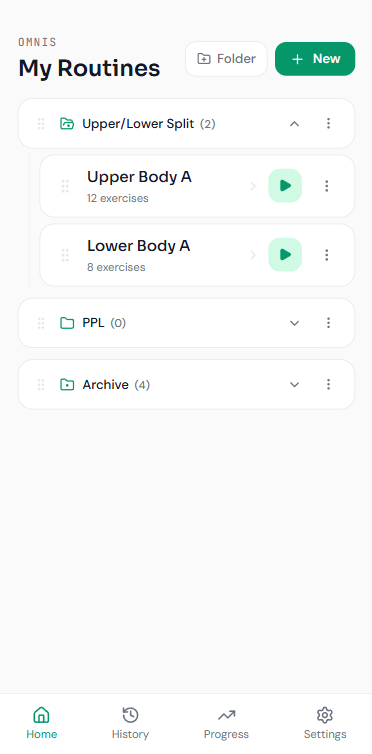
Built for the three moments that matter.
Everything you need to train, nothing that gets in the way.
Private by design
No account, no servers. Your routines, history, and bodyweight log stay on your device — we couldn’t read them if we wanted to.
Fast & lean
A minimal, distraction-free UI built to get you in, logged, and out. Program a session, log a set, watch the line go up.
See progress
PRs, streaks, volume charts, and a muscle heat map keep you motivated and honest about what you actually trained.
See it in action.
40 seconds. Four screens. Everything Omnis does — from building a routine to tracking progress. No fluff, just the app.
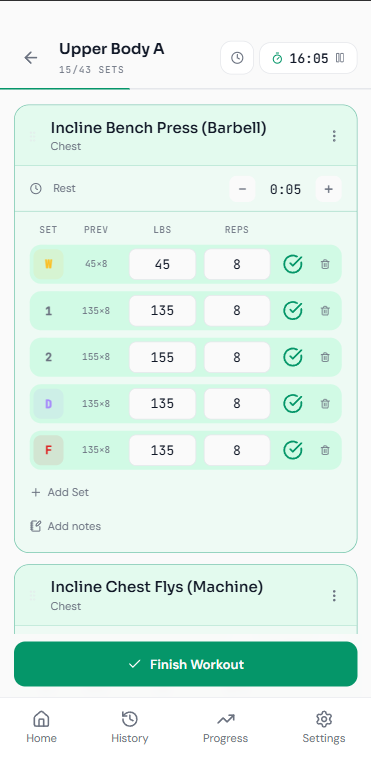
Everything you need mid-set. Nothing you don't.
A pausable timer up top, your routine targets pre-filled, and last time's numbers on every row.
- Adaptive set inputs — change one set and matching sets follow, while real progressions stay put.
- Set types for warmup, dropset, and failure, each with its own previous-set history.
- PR detection drops a trophy the moment you beat your max weight or reps.
- Swap, add, or reorder exercises on the fly — then save it back to the routine if you want.
- Auto-resume: close or refresh and you pick up exactly where you left off.
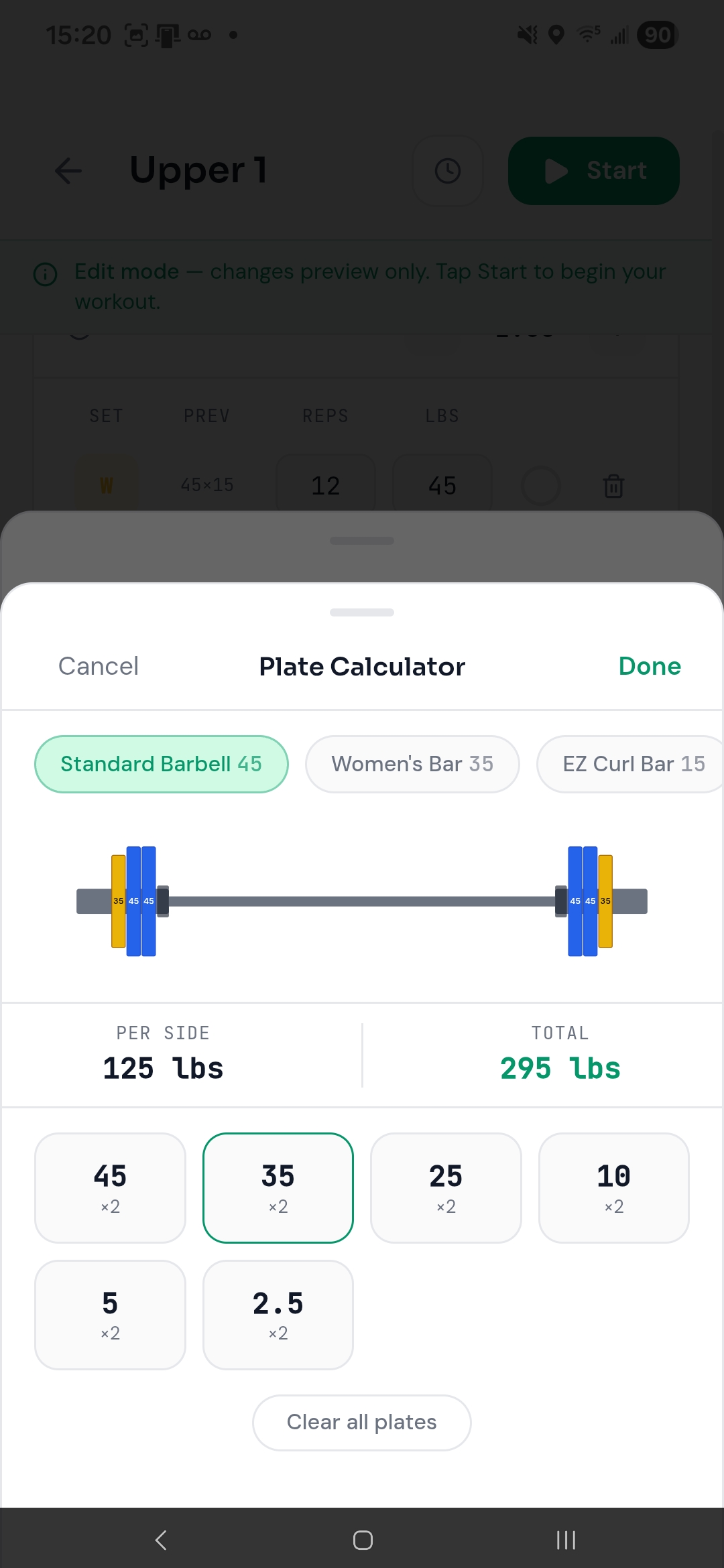
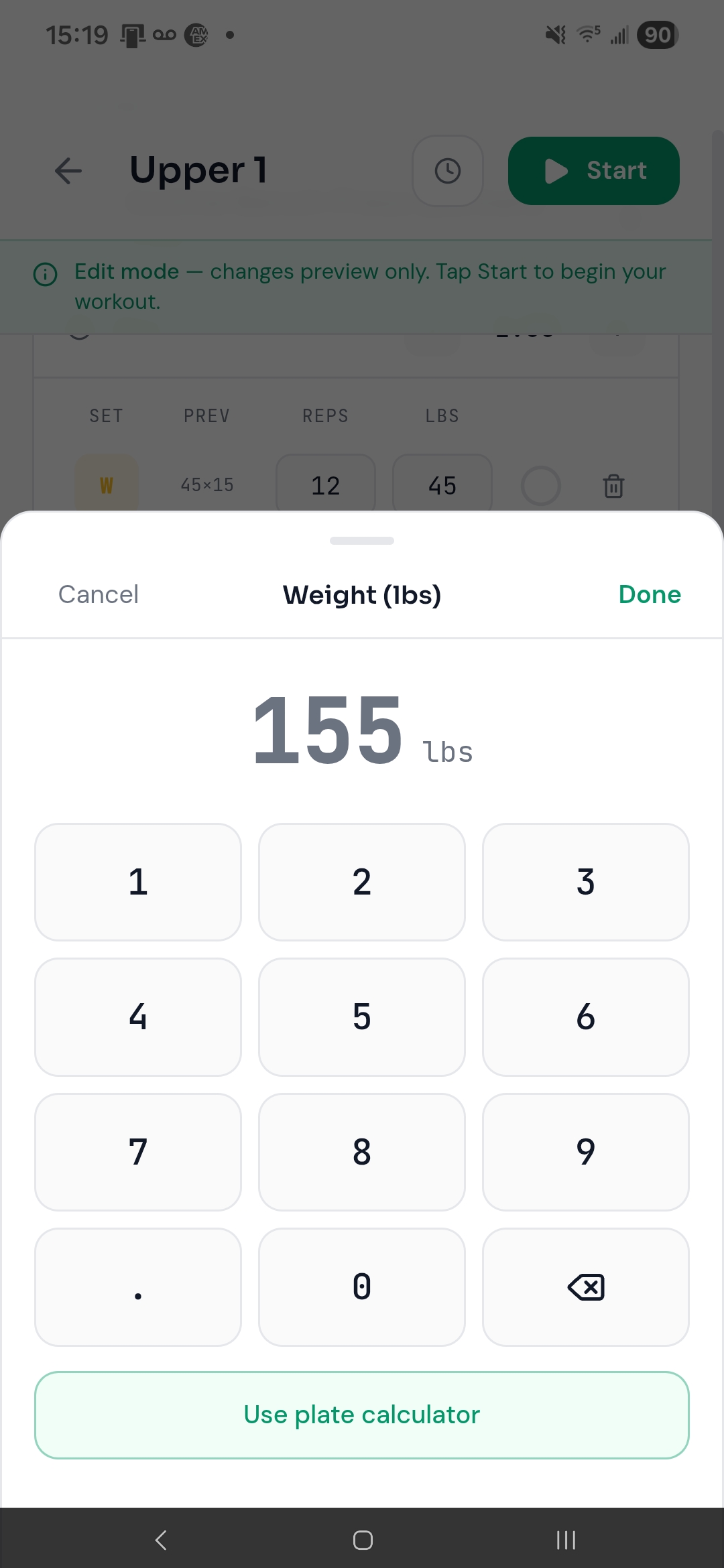
Stop doing barbell math.
For barbell lifts, the weight input opens a visual plate calculator instead of a number pad. Tap plates, see the bar.
- Per-side and total weight update live as you load the bar.
- The bar reshapes to the lift — Olympic, EZ curl, trap, safety-squat, and more.
- Color-coded plates render heaviest-to-lightest from the collar out.
- Switch between six built-in bars; tap any plate to remove it.
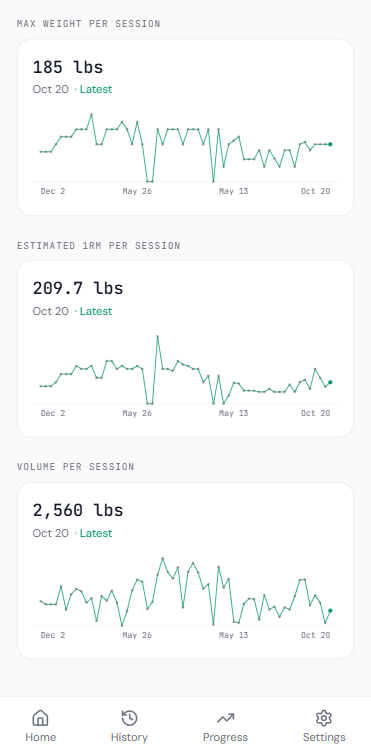
Watch the line go up.
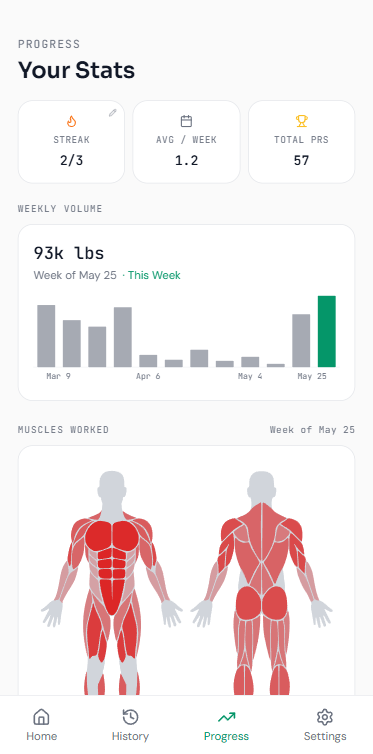
Streaks, lifetime volume, and a personal-records dashboard — plus a chart for every lift you track.
- Three streak modes: weekly, daily, or an X-of-Y weekly goal you set.
- Per-exercise charts for max weight, estimated 1-rep max, and volume over time.
- A 1/3/5/8/10/12 rep-max table and every weight you’ve lifted at your best reps.
- PR dashboard with your heaviest lift ever, most recent PR, and pinned favorites.
See exactly what you trained.
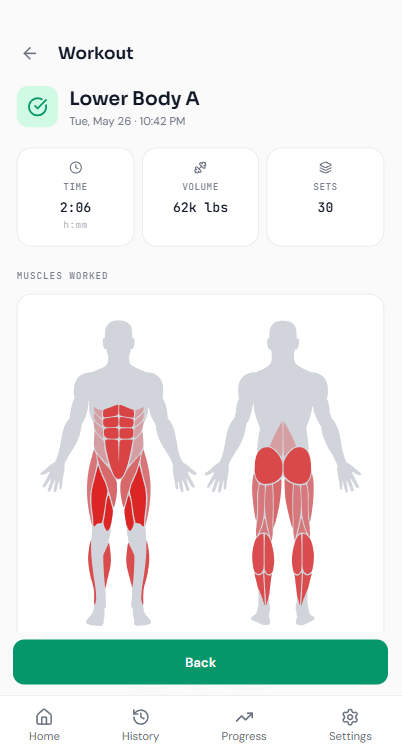
A front-and-back figure colors each muscle region by how hard it worked — per session, or aggregated over any range.
- Appears on every workout summary and on your progress page.
- A “top 3 muscles worked” list names the specific regions you hit.
- Choose a masculine or feminine body diagram in Settings.
Everything you need. Nothing you don't.
Built for people who want to train, not manage software.
Exercise library
430+ exercises across 17 muscle groups, each tagged with equipment — plus unlimited custom exercises with their own muscle mapping.
Import your history
Coming from Strong, Hevy, FitNotes, or Jefit? Omnis auto-detects the CSV, maps exercises, and can rebuild routines from your history.
Rest timer & clock
Auto-starting rest countdown with ±15s and skip, plus a separate user-controlled countdown clock with quick presets.
Folders & drag-and-drop
Group routines into collapsible folders, reorder exercises by dragging, and duplicate, rename, or move anything in a tap.
Bodyweight tracking
Log your bodyweight with a date and watch a 90-day chart. Same-day entries update instead of piling up.
Background notification
A persistent notification keeps your workout and rest timers ticking with the app backgrounded or the screen off — and its buttons mirror the app.
Make it yours.
Five accent colors, dark and light themes, kilograms or pounds, and a body diagram that fits you. Set your default rest, PR threshold, and streak mode once.
Try an accent
The page and the screen recolor — and the theme buttons in the mockup flip the whole site. Just like the app.
Preferences
Appearance
Notifications
Built different.
Most trackers rent you access to your own training. Omnis doesn’t.
| Omnis | Most trackers | |
|---|---|---|
| Account required | No | Yes |
| Monthly subscription | No | $10–15/mo |
| Your data on their servers | No | Yes |
| Works fully offline | Yes | Partial |
| Import from Strong / Hevy | Yes | Rarely |
| Export a full backup anytime | Yes | Limited |
Bring your data. Own your data.
No analytics. No tracking. No server. Omnis stores everything in your phone's local storage — we couldn't read it even if we wanted to. And it's never locked in.
Switching apps?
Import directly from Strong, Hevy, FitNotes, or Jefit. Omnis detects the format, maps your exercises, and can rebuild routines from your history — pick exactly which categories to bring in.
Leaving, or just backing up?
Export a full JSON backup or a CSV of your history anytime, and share a single routine or a whole folder as a file — friends import it in one tap.
Questions
Everything you might want to know before installing.
Is Omnis really free?
Yes — no subscription, no premium tier, no ads. Free forever.
Does it work without internet?
Completely. Once installed, Omnis never needs a connection. Log workouts on a plane, in a basement gym, anywhere.
Where is my data stored?
On your device only. Omnis uses your phone's local storage — nothing is uploaded to a server.
Is it available on iPhone?
Not yet — Android only for now. iOS may come later.
Can I switch between kg and lbs?
Yes — toggle units anytime in Settings. Weights are stored in kilograms internally, so your data is never affected; only the display changes.
Does it work with the screen off?
Yes. A persistent notification keeps your workout and rest timers running in the background, with controls to adjust or skip rest right from the notification.
Can I move my data from another app?
Yes — import from Strong, Hevy, FitNotes, or Jefit, or restore a full JSON backup. Omnis maps your exercises automatically and can rebuild routines from your history.
Can I back up my data?
Yes. Export a full JSON backup or a CSV of your history anytime, and re-import it on another device.
How is it different from Strong or Hevy?
Those apps require an account and sync your data to their servers. Omnis is fully local — no account, no subscription, no lock-in. You can also import your existing Strong or Hevy history.
Ready to train smarter?
Free. No account. No subscription. Just open the app and lift.